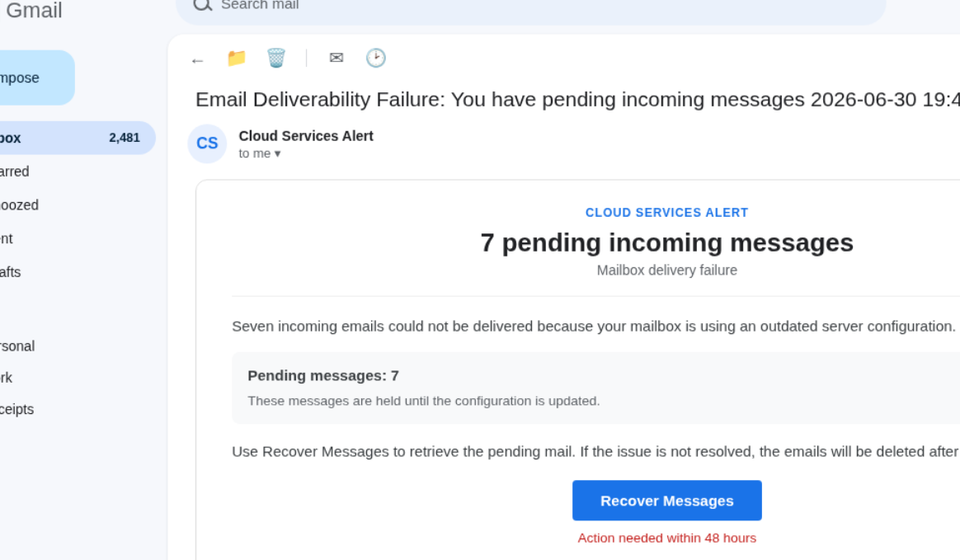

An email warning that seven incoming messages could not be delivered might seem like an ordinary mailbox problem, especially if you rely on email for work, bills, account notifications, and personal communication. The message appears to come from a service team responsible for keeping your inbox working. It claims that a server configuration problem has prevented seven emails from reaching you and warns that those messages may be deleted if you do not recover them within 48 hours.
The proposed solution is a blue Recover Messages button. It looks like a routine account-recovery option, but that is where the deception begins. The email is designed to take you away from your actual email provider and onto a fraudulent sign-in page. Rather than restoring missing messages, the page attempts to collect the password that protects your inbox. This is a phishing campaign, and the account access it seeks could expose considerably more than your unread emails.
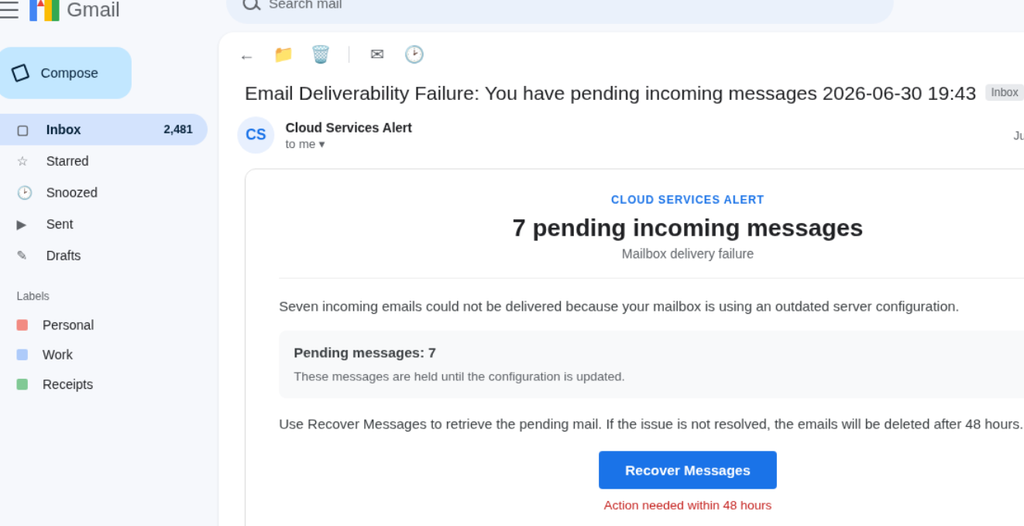
Table of Contents
- What Is the Cloud Services Alert Email?
- Seven Missing Emails Are the Bait
- The Recover Messages Button Leads Away From Your Email Provider
- Why Your Email Password Is the Real Target
- How the Cloud Services Alert Phishing Scam Works
- Warning Signs That the Email Is Not Genuine
- What to Do If You Received the Email
- Frequently Asked Questions
- Bottom Line
What Is the Cloud Services Alert Email?
The message uses the display name Cloud Services Alert and a subject line resembling an automated service notification: “Email Deliverability Failure: You have pending incoming messages 2026-06-30 19:43.” It tells recipients that seven incoming emails failed to arrive because of an outdated server configuration. The sender then introduces a 48-hour deadline, suggesting that the messages will be permanently removed unless the recipient takes action.
The wording is deliberately technical without providing the kind of information a genuine delivery report would normally contain. There are no identifiable senders for the supposedly missing emails, no individual delivery timestamps, no rejection codes, and no support ticket that could be used to investigate the alleged problem. The message gives you a precise number and a technical explanation, but nothing you can independently verify. Its purpose is not to help you understand a mail-server error. It is to make the situation feel specific enough that you will follow the recovery link.
Seven Missing Emails Are the Bait
The claim that seven messages are waiting to be recovered is an important part of the deception. A warning about a single undelivered email might be easy to dismiss, while a notice about several missing messages can create the impression that something significant has gone wrong with your account. You may wonder whether one of them contains a work instruction, an invoice, a bank notification, or a message you have been expecting.
The 48-hour deadline adds pressure to that uncertainty. Instead of checking whether the warning is genuine, the recipient is encouraged to act before the supposed recovery window closes. This is a familiar phishing technique: introduce a problem, make the consequences sound immediate, and present one convenient button as the only way to resolve it. The email does not need to prove that the seven messages exist. It only needs to make you concerned enough to click.
The Recover Messages Button Leads Away From Your Email Provider
The most important part of this campaign is what happens after clicking the recovery button. In the reported version, the link directs recipients to a page hosted at above-amethyst-rbit9e8y.edgeone.dev, rather than to a recognised email-provider domain. That destination is not a legitimate place to recover messages from your mailbox.
The page presents a sign-in screen intended to resemble the recipient’s email service. Although the campaign may use a Gmail-style login, the fraudulent page can be adapted to resemble other providers, including Yahoo, Outlook, or a business email service. This makes the same basic phishing approach useful against people who use different email platforms. The appearance of a familiar sign-in page does not make the destination genuine. A website can copy the colours, logos, and layout of a trusted service while having no connection to the company it imitates.
There is also a common misunderstanding worth addressing: the presence of HTTPS or a padlock icon does not establish that a website is legitimate. HTTPS encrypts the connection between your browser and the website. It does not verify that the website belongs to your email provider or that the person operating it has honest intentions.
Why Your Email Password Is the Real Target
A stolen email password can give an attacker access to information that extends far beyond the mailbox itself. People routinely use email to receive password-reset links, account alerts, payment confirmations, invoices, employment correspondence, and private documents. Once an attacker gains access, they may be able to search through old conversations for information that can help them compromise other accounts.
An attacker could also use the compromised mailbox to send convincing messages to people in the victim’s address book. In a workplace, access to an employee’s email may expose internal conversations or provide an opportunity to impersonate someone involved in payments and business transactions. Attackers may also create forwarding rules, alter filters, add account delegates, or change recovery information so they can maintain access or quietly receive copies of future messages. These are possible consequences of mailbox compromise, not proof that every recipient of this particular email has experienced them.
This is why the request for your password matters more than the email’s claim about seven missing messages. The recovery story is simply the route to the information the attackers want.
How the Cloud Services Alert Phishing Scam Works
The campaign follows a straightforward sequence. First, the email reaches a recipient and presents itself as an administrative notification. The claim of failed message delivery gives the warning a technical explanation, while the specific count of seven messages makes it appear more credible. The 48-hour deadline then encourages the recipient to respond quickly.
Clicking Recover Messages takes the recipient to a counterfeit sign-in page. The page imitates the appearance of a familiar email service and asks the user to enter their login details. If those details are submitted, they may be captured by the people operating the phishing site. The attackers can then attempt to use the credentials to access the real mailbox.
The campaign does not need to install software on your device to cause serious harm. Its main objective is to persuade you to hand over information voluntarily. That distinction is important because some people assume they are safe if they did not download a file or install an application. A phishing page can steal credentials through a normal browser session.
Warning Signs That the Email Is Not Genuine
The sender’s identity is the first thing to question. Cloud Services Alert is a generic display name, not sufficient proof that the message came from the company hosting your mailbox. Display names can be chosen by senders and can easily be made to look official. The actual sender address and the destination of the recovery link matter much more.
The message also lacks the technical details needed to support its claim. A legitimate mail-delivery failure should be traceable to a particular message or delivery event. Here, the email announces seven failed deliveries without identifying the messages, their senders, or the reason each one was rejected. The technical language creates an impression of authority, but the information needed to verify the problem is missing.
The recovery link is another major warning sign. A genuine email provider should direct you to its own recognised website or official application when you need to review account problems. A sign-in page hosted on an unrelated domain should never be trusted simply because it resembles Gmail, Outlook, or another familiar service. The combination of an unverified sender, an unsupported delivery claim, an urgent deadline, and an unfamiliar login destination makes this message unsafe.
What to Do If You Received the Email
If the email is sitting in your inbox and you have not interacted with it, do not click the recovery button or reply to the sender. You do not need to recover anything through the link. Report the message as phishing using your email provider’s reporting option, then delete it.
If you clicked the button but did not enter your password or other information, close the page and do not return to it. Opening a phishing page does not automatically mean your email account has been compromised. However, be cautious if the page attempted to download a file, install an extension, or persuade you to grant remote access to your device. Those actions introduce additional risks that should be investigated separately.
If you entered your email password, treat the account as potentially compromised. Open your email provider’s official website or application directly, not through the link in the suspicious message, and change your password immediately. If you reused that password elsewhere, change it on those accounts too. Enable multi-factor authentication, preferably using an authenticator application or a security key where supported.
You should also review the account’s security settings. Check recent sign-in activity, active sessions, recovery email addresses, phone numbers, forwarding rules, filters, and delegated access. Look through your Sent, Deleted, and Archived folders for messages you do not recognise. If the mailbox is used for work, notify your organisation’s IT or security team. If you find evidence of financial fraud or suspicious payment instructions, contact the relevant bank or financial institution through its official channels.
Frequently Asked Questions
Is Cloud Services Alert a legitimate email provider?
The display name alone does not establish that the message comes from a legitimate email provider. In the campaign described here, the email uses a generic service-alert identity to direct recipients to a fraudulent login page. Do not treat it as an official account notification.
Are seven emails really waiting to be recovered?
The email provides no verifiable evidence that the seven messages exist. It does not identify their senders or provide individual delivery information. The number is part of the warning used to persuade recipients to click the recovery link.
Does clicking Recover Messages automatically hack my account?
No. Simply opening the link does not automatically mean that your email account has been taken over. The main danger is entering your login credentials on the fraudulent page or following additional instructions that expose your device or information.
What if I entered my Gmail password?
Go directly to Google’s official account-security page or Gmail application and change your password. Review recent account activity, remove unfamiliar sessions, check recovery details and forwarding settings, and enable multi-factor authentication. If you used the same password on other services, update those passwords as well.
Can this scam affect Outlook and Yahoo users?
Yes. The reported phishing approach is not limited to Gmail. Its counterfeit sign-in page can be made to resemble different email services, so users should judge the actual website address and the legitimacy of the message rather than relying on the appearance of the login screen.
Bottom Line
The Cloud Services Alert email uses a fabricated message-delivery problem to create urgency and push recipients towards a counterfeit sign-in page. Its claim about seven missing emails is not supported by verifiable delivery details, and the Recover Messages button leads away from the trusted email service. Do not use the link or submit your password. If you have already entered your credentials, secure your account through the provider’s official website and check for signs of unauthorised access.
Read also >>> GiftCardCart.com Scam Review: The Truth About the Costco $750 Giveaway