
When I moved one of the TVs out of a spare room, I figured I’d throw a projector in there for a few weeks until I decided what television to buy next. That plan didn’t really work out. A few months later, the CineMaster Pro Projector is still sitting there, still getting used almost every day, and I haven’t felt much urgency to replace it.
It isn’t perfect. There are definitely some things that annoy me. But for the price, it’s been surprisingly easy to live with.
Quick Takeaways
- Easy setup and beginner-friendly controls
- Built-in streaming apps are genuinely convenient
- Screen casting works well with iPhones
- Picture quality is good in darker rooms
- Built-in speakers are better than expected
- Brightness could be stronger for dark movie scenes
- Fan noise is noticeable at times
- Some users have reported remote control issues
What Is the CineMaster Pro Projector?
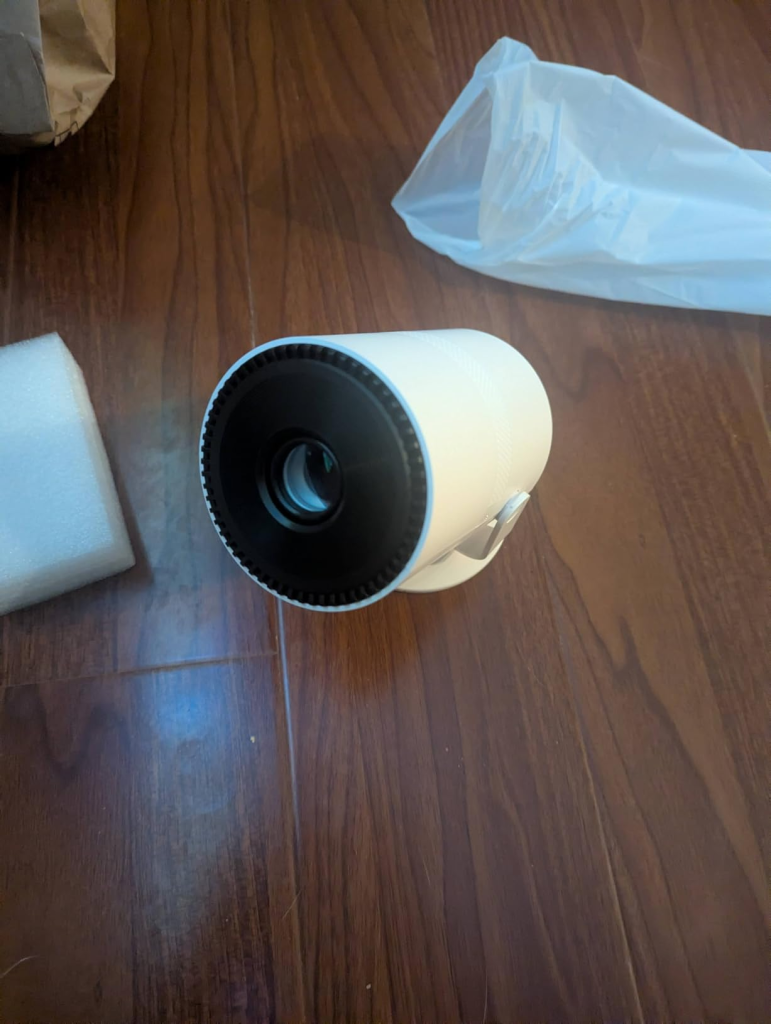
The CineMaster Pro is a budget-friendly smart projector designed for movies, streaming, gaming, and casual everyday viewing.
It includes built-in apps, wireless casting, Bluetooth connectivity, and onboard speakers, making it more of an all-in-one entertainment device than a basic projector. The biggest appeal is getting a large-screen viewing experience without spending hundreds or thousands on a television.
Why I Bought It
I wasn’t looking for some high-end home theater setup. I simply wanted a bigger screen for movies, YouTube, sports, and occasional gaming without spending a fortune.
The built-in streaming apps caught my attention because I didn’t want extra devices hanging off the projector just to watch Netflix. I wanted something simple.
Setting It Up
Setup was much easier than I expected. Within a few minutes I had the projector connected, focused, and streaming content. The focus controls are straightforward and don’t require much tinkering. Even if you’ve never owned a projector before, it’s one of those devices you can figure out pretty quickly.
What Using It Has Been Like
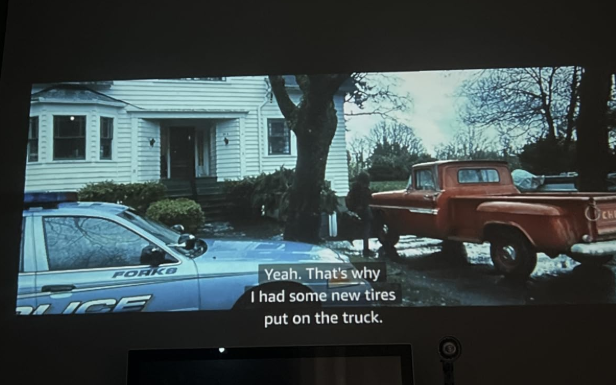
The biggest surprise for me was how often I started using it. What began as a temporary solution slowly became my default way to watch movies and shows. The picture quality is actually pretty enjoyable once the room is dimmed down.
No, it isn’t premium OLED television quality. But for casual viewing, it creates a much bigger and more immersive experience than I expected. The built-in apps are also convenient. Instead of connecting extra streaming sticks or devices, everything is already there.
Screen Casting
One feature I ended up using a lot was screen casting. With my iPhone, the experience has been mostly smooth. Videos, photos, and content mirrored without much trouble. Android compatibility seems more hit-or-miss based on what I’ve seen from other users. Some people report connecting successfully while others struggle to get casting working consistently.
So if wireless casting is a major reason you’re buying it, that’s something worth keeping in mind.
Sound Quality
I expected terrible sound. That’s usually how budget projectors go. The speakers surprised me. They’re not home theater speakers, and they won’t replace a soundbar, but they’re perfectly usable for everyday viewing. I can have a movie playing while doing things around the room and still hear dialogue clearly.
For movie nights, I still prefer connecting an external speaker, but the built-in audio is better than I expected.
Gaming and Daily Use
I’ve also spent plenty of time gaming on it. For casual gaming, it works well. The large image makes games feel more immersive, and I never found myself rushing back to a traditional TV afterward.
What impressed me most was consistency. After weeks of daily use, the projector still performs exactly like it did when I first set it up.
Things That Started Annoying Me
The brightness could definitely be better. During daytime viewing it’s acceptable, but darker movies sometimes lose detail during shadow-heavy scenes. The software can also feel a little sluggish occasionally.
Every now and then an app takes longer than expected to load, or requires backing out and reopening it. It’s not a constant problem, but it happens enough to notice.
The fan noise is another thing worth mentioning. It’s not unbearable, but in very quiet scenes you’ll hear it running in the background.
What Other Buyers Seem To Agree On
The overall sentiment seems pretty consistent. Most people are impressed by how much projector they’re getting for the price. Setup is easy, picture quality exceeds expectations, and the built-in apps make everyday use simple.
The most common complaints tend to revolve around brightness, occasional software slowdowns, fan noise, and a handful of reports involving remote control reliability. It seems to be one of those products that performs better than expected but still shows some budget-projector limitations once you’ve lived with it for a while.
Pros and Cons
Pros
- Quick and simple setup
- Large immersive viewing experience
- Built-in streaming apps
- Decent built-in speakers
- Good value for the money
- iPhone casting works well
- Great for movies, sports, and casual gaming
Cons
- Brightness struggles in some lighting conditions
- Fan noise is noticeable
- Software occasionally feels slow
- Android casting can be inconsistent
- Some reports of remote reliability issues
Conclusion
The CineMaster Pro isn’t trying to compete with premium home theater equipment. It’s trying to deliver a big-screen experience at a price most people can justify.
For me, it succeeded. I bought it as a temporary solution and ended up using it far longer than planned. That probably says more about the projector than any spec sheet ever could.
Also Read >>> HONOR Choice AI Projector Air Review: Worth Buying or Just Another Cheap Portable Projector?