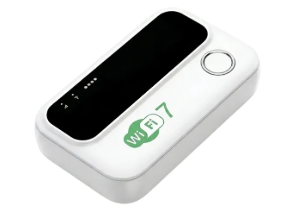

There’s nothing more frustrating than paying for internet and still struggling to get a decent connection in your own bedroom. You move closer to the router, restart it, switch between Wi-Fi bands, and sometimes end up using mobile data because the signal refuses to cooperate. Infinite Fi promises a simple solution: plug a small device into a wall socket and extend your existing Wi-Fi coverage to the rooms where your router struggles. The advert also leans heavily on Wi-Fi 7 compatibility, support for more than 25 devices and discounts of up to 85%. It sounds like a convenient little upgrade, but the specifications tell a different story. Infinite Fi may be a basic Wi-Fi range extender, but the information on its website doesn’t establish that it delivers genuine Wi-Fi 7 performance.
Table of Contents
- What Is Infinite Fi?
- Is Infinite Fi Really a Wi-Fi 7 Extender?
- Infinite Fi Speed and Performance
- Can Infinite Fi Eliminate Wi-Fi Dead Zones?
- Infinite Fi Setup and Features
- How Much Does Infinite Fi Cost?
- Infinite Fi Customer Reviews
- Who Makes Infinite Fi?
- Infinite Fi Refund Policy
- Is Infinite Fi Legit or a Scam?
- Frequently Asked Questions
- Final Verdict: Should You Buy Infinite Fi?
What Is Infinite Fi?
Infinite Fi is a plug-in Wi-Fi booster designed to extend the wireless signal from an existing router. It doesn’t provide internet by itself. Instead, it receives your router’s signal and rebroadcasts it, helping devices connect in areas where the original coverage is weak. Imagine having a router in the living room but struggling to get a reliable connection in a bedroom at the other end of the house. An extender placed between those areas may help carry the signal further.
The device has internal antennas, dual-band 2.4GHz and 5GHz connectivity, a WPS pairing button, four LED indicators and an Ethernet port. The seller also claims it can support more than 25 connected devices and work with most standard routers. These features make Infinite Fi look like a straightforward home Wi-Fi extender. The question is whether its performance matches the bigger promises in the advertisement, particularly the Wi-Fi 7 claim.
Is Infinite Fi Really a Wi-Fi 7 Extender?
The Wi-Fi 7 label is probably the first thing that will catch a buyer’s attention. Newer wireless technology promises faster connections, better handling of multiple devices and improved performance in busy networks. Infinite Fi’s website mentions compatibility with Wi-Fi 6 and Wi-Fi 7 gateways, which sounds impressive until you get to the technical specifications.
The listed wireless standards are IEEE 802.11b, 802.11g, 802.11n and 802.11ac. The seller then mentions Wi-Fi 6 and Wi-Fi 7 gateway compatibility separately, but doesn’t list IEEE 802.11be, the standard used for Wi-Fi 7. There’s also no technical datasheet identifying the device’s chipset or showing support for features such as Multi-Link Operation (MLO), 320MHz channels or 4K QAM.
In plain English, Infinite Fi may be able to connect to a Wi-Fi 7 router without being a Wi-Fi 7 extender itself. That’s a much more modest claim than the marketing suggests. You shouldn’t pay a premium expecting next-generation wireless performance when the seller hasn’t provided the specifications to back it up.
Infinite Fi Speed and Performance
Infinite Fi supports 2.4GHz and 5GHz Wi-Fi, with a listed maximum speed of 300Mbps on the 2.4GHz band. The seller doesn’t disclose the maximum 5GHz speed, and its 100Mbps Ethernet port limits wired connections. Although the website promotes 4K streaming and online gaming, it provides no independent tests to show how well the extender handles demanding use. If you’re troubleshooting Wi-Fi problems on a desktop, our Gigabyte B650 Gaming X AX V2 Wi-Fi guide may also help.
Can Infinite Fi Eliminate Wi-Fi Dead Zones?
A range extender can help with poor coverage, but where you plug it in makes a big difference. If your router is downstairs and the signal becomes weak in an upstairs bedroom, placing Infinite Fi somewhere between the router and that bedroom may improve reception. Plugging it into the bedroom where the signal has almost disappeared is less likely to help because the extender needs a usable connection from the main router.
Walls, concrete floors, distance and interference from nearby networks can also affect the result. Infinite Fi’s website makes broad claims about covering multiple floors, reaching basements and overcoming walls, but doesn’t provide measured coverage distances or independent tests to show how well it performs in different homes. You may get a useful improvement in a small apartment, while a large house with thick walls could require a more capable solution.
Infinite Fi Setup and Features
The setup process is one of the simpler parts of the offer. Infinite Fi uses WPS pairing, so compatible routers can connect to it without manually entering network details. According to the seller’s instructions, you plug the extender into a wall socket, press the WPS button on your router and then press the W/R button on Infinite Fi. The website advertises a 60-second setup, although the actual process depends on your router and whether WPS is enabled.
The device also has four blue LED indicators for power, signal reception, Wi-Fi activity and LAN connection. A reset pinhole allows you to restore its settings, while the Ethernet port provides a wired connection for compatible devices. The seller lists power consumption below 3.5 watts and support for a 100V to 240V power supply. These are practical features for a small plug-in extender, although they don’t tell us much about its actual speed or reliability.
How Much Does Infinite Fi Cost?
Infinite Fi is advertised at $44.99 for one unit, with larger packages offering a lower price per device. The prices displayed on the official website are:
| Package | Advertised price | Price per unit |
|---|---|---|
| 1 unit | $44.99 | $44.99 |
| 2 units | $79.98 | $39.99 |
| 3 units | $107.97 | $35.99 |
| 4 units | $125.96 | $31.49 |
| 5 units | $134.95 | $26.99 |
The website promotes savings of up to 85%, but some of its own price comparisons don’t make sense. The four-unit package costs $125.96, while its crossed-out retail price is $120.66. The five-unit package costs $134.95 against a stated retail price of $119.95. In both cases, the supposed discounted price is higher than the reference price shown beside it.
The one-unit package is advertised at $44.99 against $99.98, while the two-unit bundle is $79.98 against $134.65. Those comparisons make the promotion look inconsistent rather than like a reliable way to measure savings. You shouldn’t let the large advertised discounts push you into buying several units. Start by working out how much coverage you actually need and compare the price of one Infinite Fi with established Wi-Fi extenders that publish complete specifications.
Infinite Fi Customer Reviews
The official website displays a 4.9-star rating and claims more than 75,800 owners. It also features testimonials from people describing stronger signals in basements, better gaming connections and improved coverage across multi-storey homes. One customer claims the Ethernet port helped with console gaming, while another says a three-unit package improved reception throughout the house.
Those are encouraging stories, but they are testimonials published on the seller’s own website. I couldn’t confirm the overall rating or customer count through an independent review platform. More useful evidence would include buyers sharing actual speed measurements, showing where they installed the extender and explaining how it performed after several months. Without that, the testimonials give potential customers very little way to judge whether the advertised results are typical.
Who Makes Infinite Fi?
The product page provides a list of features and technical specifications, but it doesn’t clearly identify the manufacturer or give buyers a specific hardware model number to look up. The customer-support contact listed on the website is support@langleyretail.com. The seller also advertises tracked UPS Ground delivery for orders within the United States.
What I couldn’t establish from the product information is who actually manufactures the hardware or which networking components it uses. That’s not a minor detail for a product being promoted with Wi-Fi 7 compatibility. A manufacturer name, model number and proper technical datasheet would make it much easier to compare Infinite Fi with other wireless range extenders and check whether its claims are accurate.
Infinite Fi Refund Policy
Infinite Fi advertises a 60-day money-back guarantee. However, the website states that standard shipping and handling costs are excluded from the refund. If you order and decide the device isn’t suitable, you may not recover everything you originally paid.
Before placing an order, read the complete return conditions and confirm where the product must be sent if you want a refund. This is particularly relevant for international customers, who may face additional return-shipping costs. The guarantee gives buyers a window to request their money back, but it doesn’t replace the need to understand the conditions attached to it.
Is Infinite Fi Legit or a Scam?
Infinite Fi is presented as a plug-in Wi-Fi range extender, and the product page describes how it connects to an existing router. I haven’t found enough evidence to call it a confirmed scam. However, I also wouldn’t treat the advertised Wi-Fi 7 capability, customer rating or promotional savings as established facts.
The main issue is the gap between the marketing and the published specifications. The device may extend an existing wireless signal, but the seller hasn’t provided enough technical information to demonstrate genuine Wi-Fi 7 performance. The bundle pricing also contains inconsistencies, and the customer testimonials haven’t been independently verified. You should approach the product as a basic range extender rather than paying for the promise of a next-generation networking device.
Frequently Asked Questions
Does Infinite Fi work with any Wi-Fi router?
The seller claims compatibility with most standard routers and gateways, including equipment from major internet providers. However, it doesn’t provide a complete compatibility list covering every router model. You should check your router’s specifications if you’re unsure.
Can Infinite Fi make my internet faster?
Infinite Fi can potentially improve reception in an area where your router’s signal is weak, but it doesn’t increase the speed supplied by your internet provider. Your actual connection depends on the original signal, extender placement, router and surrounding interference.
Does Infinite Fi support 5GHz Wi-Fi?
Yes. The seller lists both 2.4GHz and 5GHz wireless bands. However, it doesn’t provide a clear maximum transmission speed for the 5GHz connection.
How many devices can connect to Infinite Fi?
The product page claims that Infinite Fi supports more than 25 connected devices. The seller doesn’t provide independent testing showing how well it performs with that many devices using the connection at the same time.
Does Infinite Fi have an Ethernet port?
Yes. It includes a 10/100Mbps Fast Ethernet port for wired devices such as computers, televisions and gaming consoles. The port has a maximum connection speed of 100Mbps.
Is Infinite Fi a genuine Wi-Fi 7 booster?
The seller says it is compatible with Wi-Fi 7 gateways, but its published specifications don’t list IEEE 802.11be or demonstrate support for Wi-Fi 7 features such as Multi-Link Operation and 320MHz channels. Genuine Wi-Fi 7 capability hasn’t been established.
Does Infinite Fi require a monthly subscription?
The seller advertises Infinite Fi as a one-time purchase without monthly subscription or equipment rental fees. You still need an existing internet connection and compatible router for it to work.
Final Verdict: Should You Buy Infinite Fi?
Infinite Fi has the basic ingredients of a plug-in Wi-Fi range extender: dual-band connectivity, WPS setup and an Ethernet port. It may help improve reception in a room where your router’s signal is weak, provided you position it correctly. But the product page doesn’t establish that it is a genuine Wi-Fi 7 extender, and its 100Mbps Ethernet port and limited speed information don’t make it particularly appealing for buyers looking for high-performance networking equipment.
The pricing promotion also needs a rethink. When a supposed discounted bundle costs more than its crossed-out retail price, the advertised savings become difficult to trust. You can find other range extenders with clearer technical specifications and established customer feedback, so there’s little reason to rush into this purchase. If your goal is simply to improve coverage, compare Infinite Fi with those alternatives. If you specifically want Wi-Fi 7 performance, choose a device that clearly lists the standard and provides proper technical documentation.
Read also >>> Bark Begone Anti-Bark Device Review: My Dog Still Barks, and My Cat Can’t Stand It